
Members
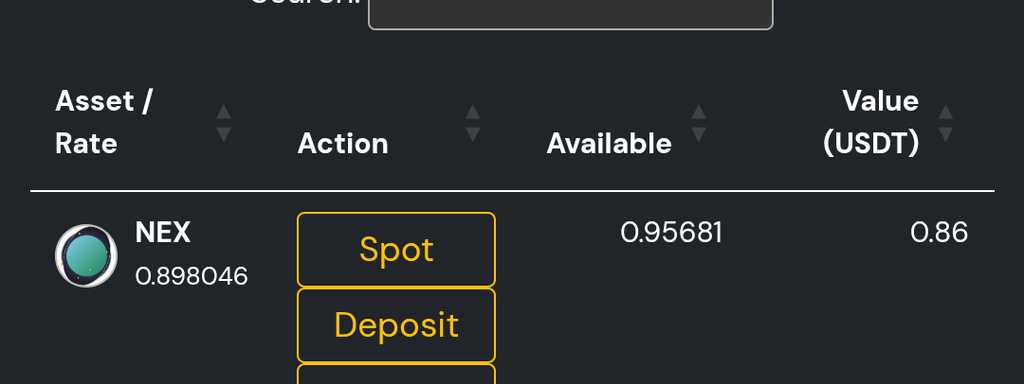
Step 2: fund your account via deposit page with USDT (any network that nestex accepts) AND $MWC
Step 3: press the 3 lines in the top right, scroll down to liquidity pools button and press it
Step 4: press the create liquidity pool option
Step 5: choose the asset you want to create a LP for ($MWC)
Step 6: Add the amount of $MWC and USDT you want to put into the liquidity (must be same values e.g. $5 MWC and $5 USDT)
Step 7: Press create liquidity pool and you are done - please note liquidity is locked for 7 days to prevent abuse, you can remove liquidity anytime after that!
Your liquidity pool will now generate fees whenever a trade is made on nestex!
The images semi-guide you through if you need any help OR contact me or another mod for support!
Reminder our next giveaway is starting soon so get that liquidity in!
DYOR, NFA
QUICK GUIDE ON HOW TO PROVIDE LIQUIDITY ON NESTEX:
Step 1: Create a nestex account if you don't have one already (no kyc required)Step 2: fund your account via deposit page with USDT (any network that nestex accepts) AND $MWC
Step 3: press the 3 lines in the top right, scroll down to liquidity pools button and press it
Step 4: press the create liquidity pool option
Step 5: choose the asset you want to create a LP for ($MWC)
Step 6: Add the amount of $MWC and USDT you want to put into the liquidity (must be same values e.g. $5 MWC and $5 USDT)
Step 7: Press create liquidity pool and you are done - please note liquidity is locked for 7 days to prevent abuse, you can remove liquidity anytime after that!
Your liquidity pool will now generate fees whenever a trade is made on nestex!
The images semi-guide you through if you need any help OR contact me or another mod for support!
Reminder our next giveaway is starting soon so get that liquidity in!
DYOR, NFA


Pick your reaction
Post your comment